Code Editor
<codeeditor> is a syntax-highlighted, line-numbered text editor: GtkSourceView on GTK, a
TextKit 2 NSTextView with a ruler gutter on macOS. It renders the diagnostics array it is
handed and never analyzes the text itself, the same division <table> draws between its rows and
whatever produced them. A language server belongs in app-side TypeScript, not in the widget.
The macOS editor turns off every system text convenience — continuous spell checking, autocorrect, smart quotes and dashes, text replacement, link and data detection. Code is not prose, so the only squiggle under an identifier is a diagnostic’s, and an autocorrected identifier would silently change what compiles.
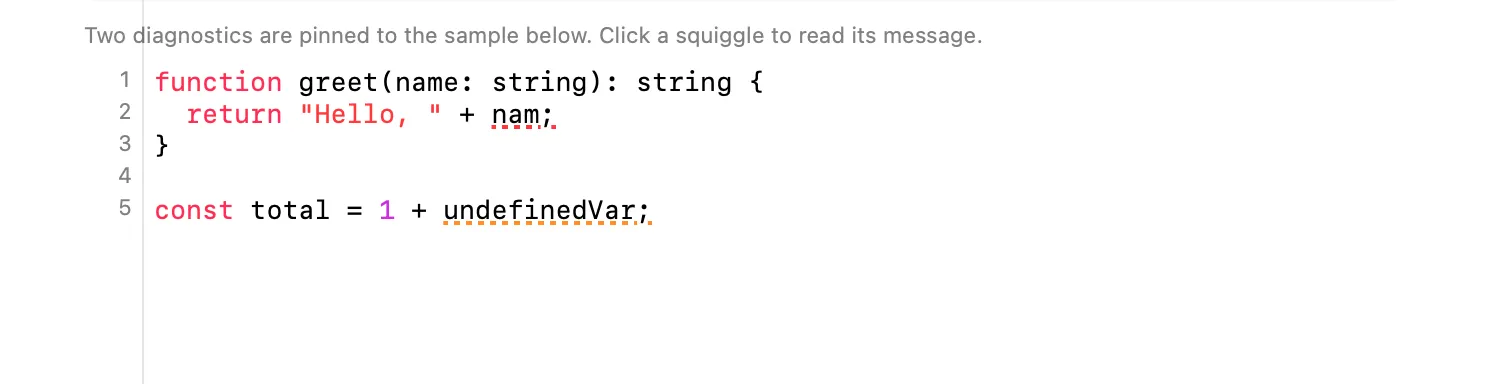
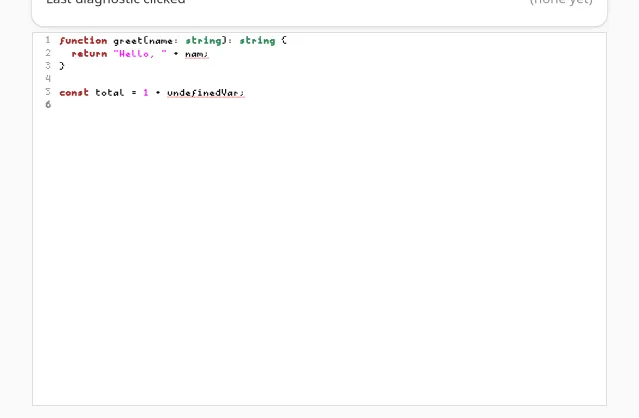
const diagnostics = [  { line: 2, column: 22, severity: "error", message: "Cannot find name 'nam'. Did you mean 'name'?" },  { line: 5, column: 19, severity: "warning", message: "'undefinedVar' is not defined." },];
<codeeditor  text={code}  language="typescript"  showLineNumbers  readOnly={false}  diagnostics={diagnostics}  onChange={(e) => setCode(e.text)}  onCursorMoved={(e) => {    const { line, column } = e.data as { line: number; column: number };    console.log(`Line ${line}, Column ${column}`);  }}  onDiagnosticClicked={(e) => {    const d = e.data as { line: number; column: number; severity: string; message: string };    console.log(d.message);  }}/>;
Data shape
Section titled “Data shape”interface CodeDiagnostic { line: number; // 1-based column: number; // 1-based severity: string; // "error" | "warning" | "info" | "hint" message: string;}CodeDiagnostic is re-exported from @nativedesktop/react, so import it directly:
import type { CodeDiagnostic } from "@nativedesktop/react";line/column are 1-based, what every compiler and language server reports. A click on a squiggle
reports the diagnostic pinned to the clicked line, not the exact character: a diagnostic’s
underline can span from its column to the end of the line, and asking the user to hit one glyph of
a squiggle is not a target anyone can reach.
| Prop | Type | Default | Applied | Notes |
|---|---|---|---|---|
text |
string | "" |
createAndUpdate | Controlled. Set it from onChange to keep typed edits in state. |
language |
string | "" |
createAndUpdate | See Language and theme. |
theme |
string | "" |
createAndUpdate | See Language and theme. |
showLineNumbers |
bool | true |
createAndUpdate | GtkSourceView / TextKit 2 gutter. |
readOnly |
bool | false |
createAndUpdate | |
tabWidth |
int | 4 |
createAndUpdate | Spaces per tab stop. |
diagnostics |
CodeDiagnostic[] |
[] |
createAndUpdate | Underlines, in the severity’s color, with the message on hover. |
Events
Section titled “Events”| Event | Handler | Payload | Fires when… |
|---|---|---|---|
changed |
onChange |
{ text } |
The text changes, by typing or by a paste. |
cursorMoved |
onCursorMoved |
{ data: { line, column } } |
The insertion point moves. |
diagnosticClicked |
onDiagnosticClicked |
{ data: CodeDiagnostic } |
The user clicks a line carrying a diagnostic. |
Language and theme
Section titled “Language and theme”language is looked up against a keyword table for syntax highlighting: typescript,
javascript, python, rust, go, c, java, ruby, shell, swift, zig, plus common
aliases (ts, js, py, rs, sh, …). An unrecognized language still gets comment, string, and
number highlighting, just no keyword coloring.
theme means different things on each backend, since the two editors don’t share a theming model:
- macOS reads
"light"or"dark"and forces thatNSAppearanceon the editor. Leave it unset and the editor follows the app’s own appearance. - GTK reads a GtkSourceView style-scheme id (
"Adwaita","Adwaita-dark","solarized-light", whatever schemes the system has installed). Leave it unset and the scheme manager’s own default applies, which already follows the desktop’s light/dark setting.
There is no shared theme vocabulary between the two backends today. An app that wants the same
theme value to mean the same thing on both platforms has to translate it itself.
GtkSourceView availability
Section titled “GtkSourceView availability”GTK resolves GtkSourceView at runtime with dlopen, the same rule <webview>’s WebKitGTK and
audio.play’s GStreamer follow, so the framework never links against it and a machine without it
still builds and runs. When GtkSourceView is present you get real syntax highlighting, a proper
gutter, and style schemes. When it is absent the widget quietly degrades to a plain GtkTextView:
- Identical either way:
text,readOnly,tabWidth,changed,cursorMoved,diagnostics,diagnosticClicked. Diagnostics are plainGtkTextTagunderlines on the buffer, not GtkSourceView marks, precisely so this list doesn’t shrink when the library is missing. - Inert without it:
language,theme,showLineNumbers. No highlighting, no gutter, no style scheme, and no error either; the editor still works as a plain text box.
See examples/parity/main.tsx’s Code Editor section: a language switcher, line-number and
read-only toggles, two diagnostics pinned to a sample with a real bug in it, and live readouts for
the cursor position and the last diagnostic clicked.